
Publish to Instagram
Schedule Instagram posts, Reels and Stories, plus the tagging, collaborator and cover controls that only appear once you pick a format.
Posts, Reels and Stories, with tagging and the Reel cover controls.
Instagram is the one network that will never accept a text-only post — every post needs at least one photo or video. Attach the media first and the rest of the composer unlocks around it.
Pick the format first
Post, Reel or Story. This is the first choice to make, not the last: the controls underneath change with it, and a couple of them exist for one format only.
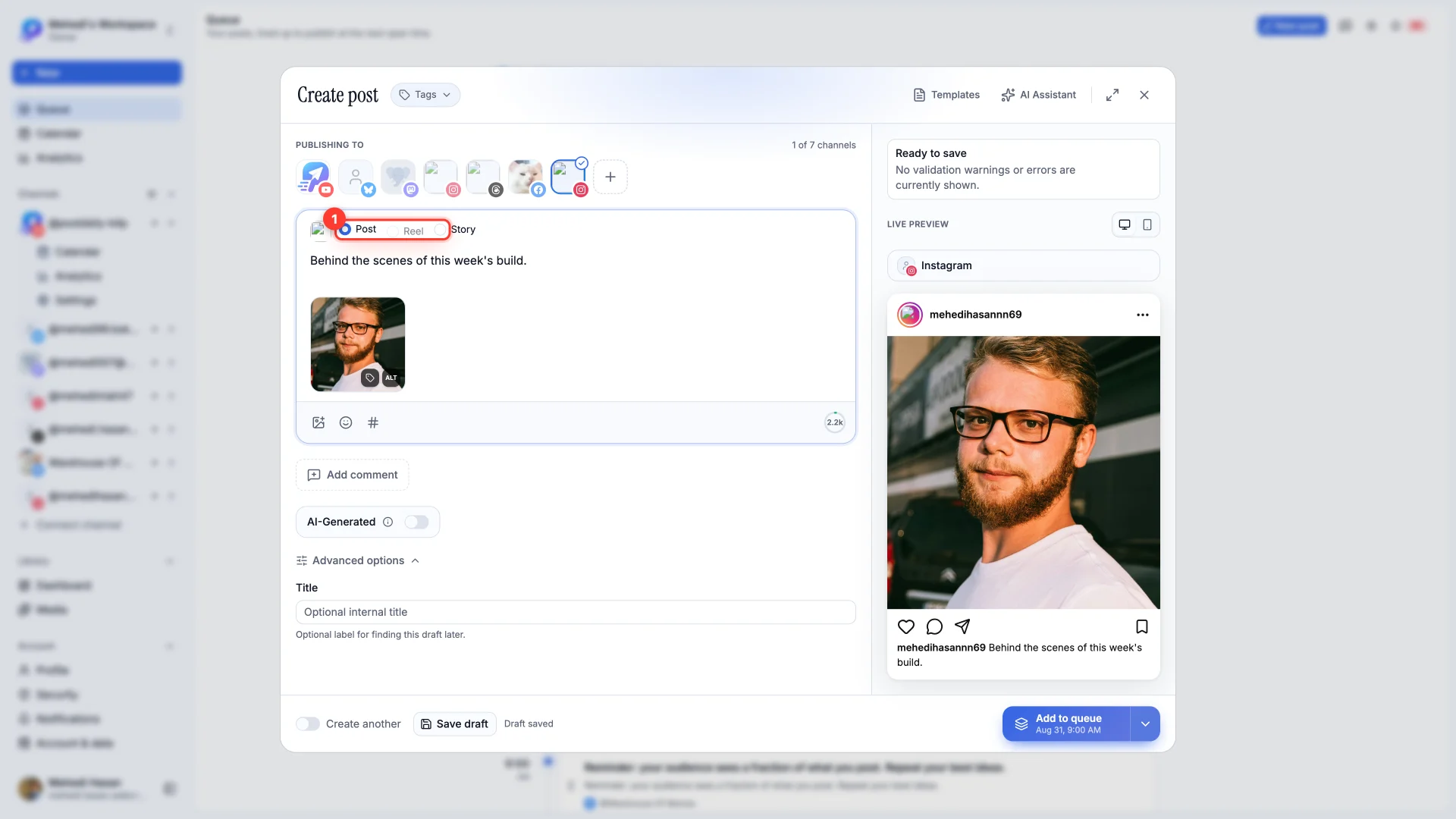
- 1Post
A feed post. One photo, or up to 10 photos as a carousel. Adding a video switches the post to a Reel, because PostDaily publishes Instagram videos as Reels.
- 2Reel
A vertical video with its own cover and audio controls — see below.
- 3Story
Disappears after 24 hours. Several images publish as separate frames, one after another.
Caption, alt text and the first comment
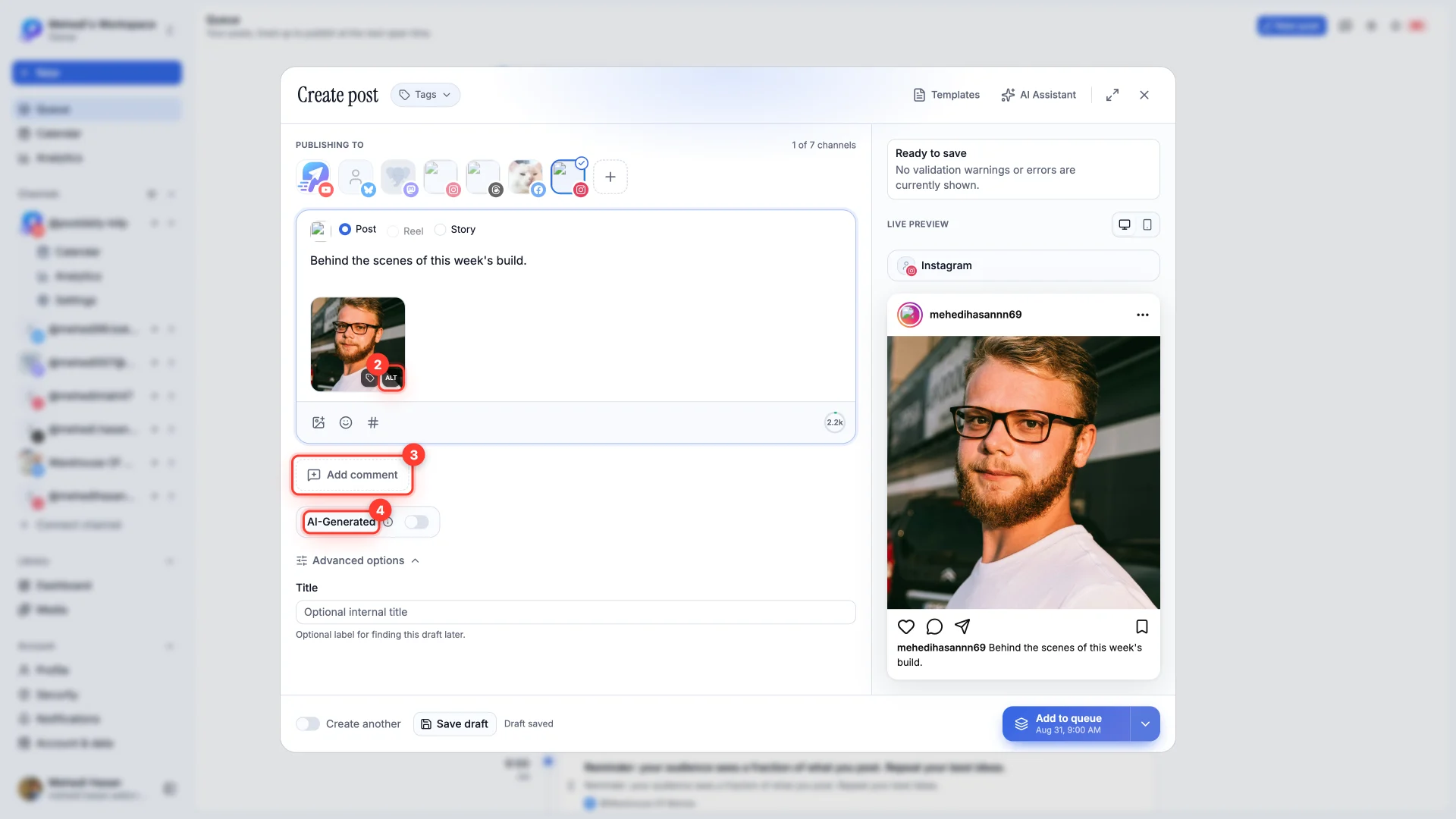
- 2,200 characters for the caption. The counter beside the editor counts down.
- ALT on each thumbnail adds a description for people using a screen reader. Instagram shows it nowhere visible, which is exactly why it gets skipped — write it anyway.
- Add comment posts a comment on your own post the moment it publishes. This is where hashtags belong if you'd rather keep the caption clean.
- AI-Generated labels the post as AI-made. Instagram asks for this when it applies, and applying it yourself is better than having Instagram apply it for you.
Tagging people, collaborators and products
On a Post, each thumbnail carries a tag button. It opens three tabs.
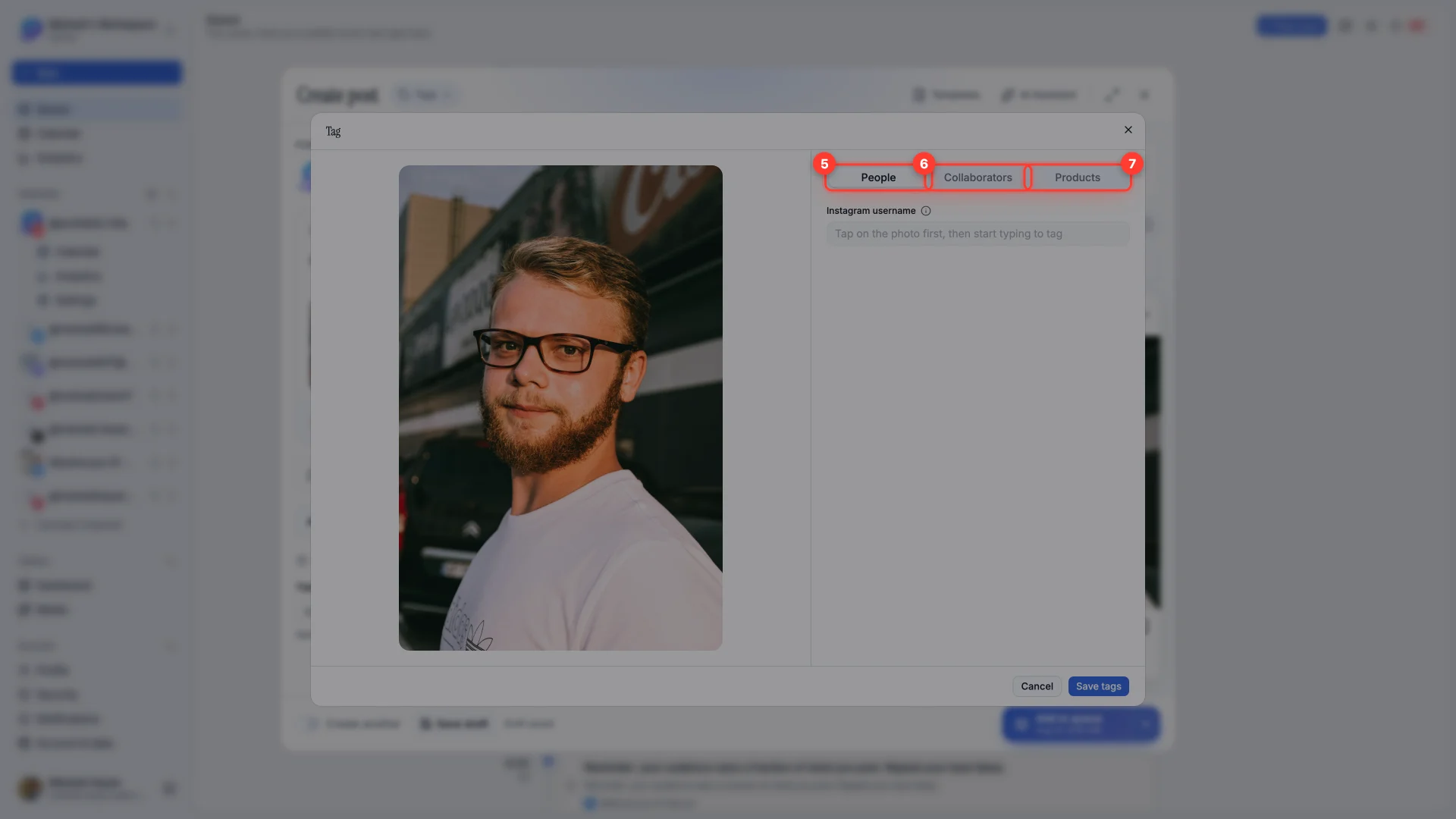
- 4People
Tags pinned to a spot on the image. Tap the photo first, then type the username — the tag goes where you tapped.
- 5Collaborators
Invites up to three accounts to co-author the post, so it appears on their profile too. They have to be public, have collaborator invites turned on, and accept.
- 6Products
Not available yet. Tagging products needs an Instagram Shop catalog, which PostDaily doesn't support so far.
Reel options
Choosing Reel replaces the panel with controls that only make sense for video.
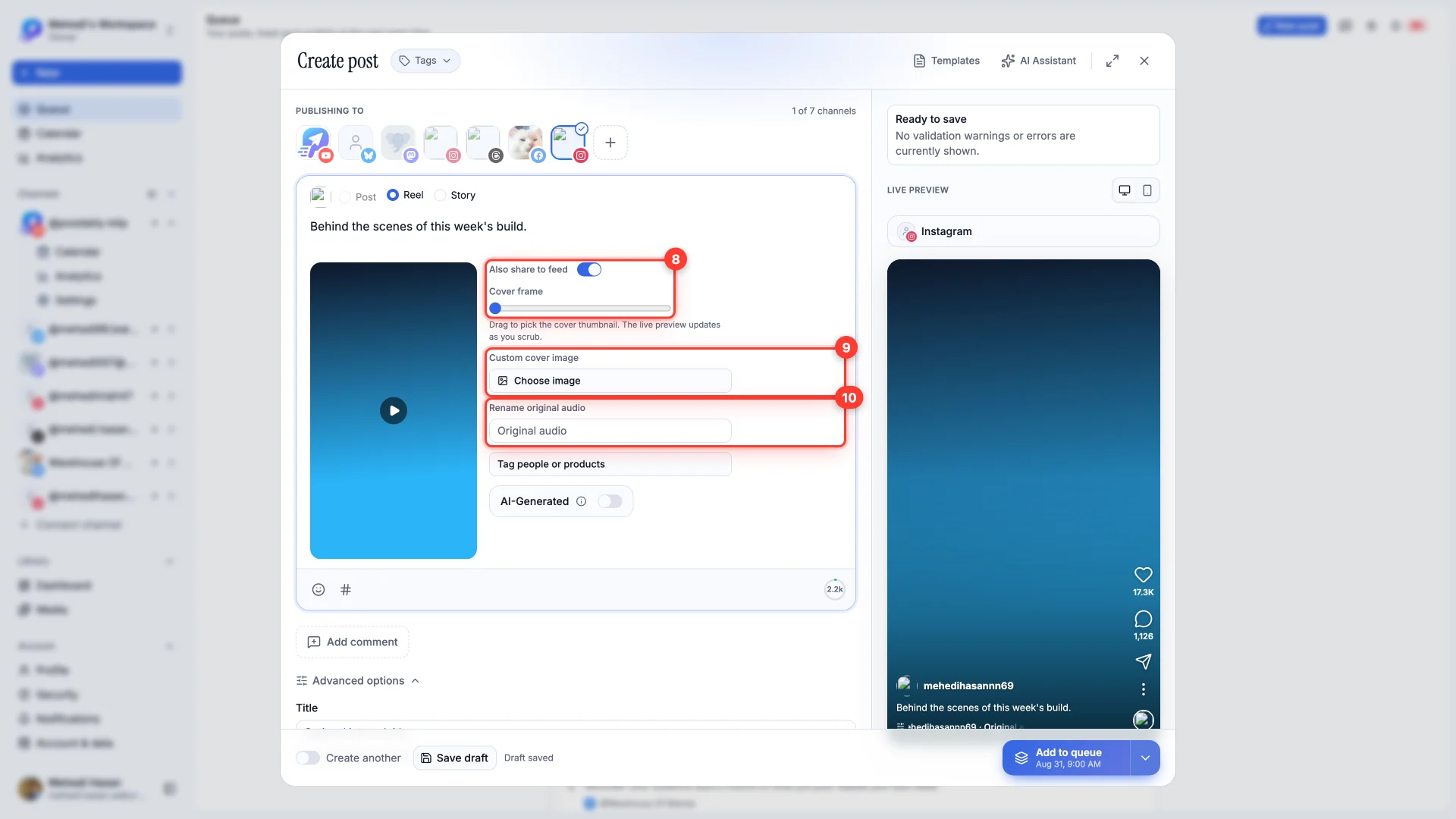
- 7Also share to feed
On by default. Leave it on and the Reel appears on your profile grid as well as in the Reels tab.
- 8Cover frame
Drag to pick the thumbnail from the video itself. The live preview updates as you scrub, so you can see what you're choosing. Or use Custom cover image to upload one instead.
- 9Rename original audio
Names the audio track. People who tap it see this name, and can use the sound in their own Reels.
If a post won't go out
- "Instagram posts require at least one photo or video" — the composer is telling you the truth. Instagram has no text-only post.
- More than 10 photos — a carousel tops out at 10. Split the rest into a second post.
- Personal account — Instagram only allows scheduled publishing to Business and Creator accounts. Converting is free in the Instagram app.
- A Story that partly published — Instagram treats every frame as its own post against a daily cap, so a long Story can hit the limit midway. The post records which frames made it.