Tailor a post for each channel
Let the AI Assistant write a right-sized version of your post for every channel you picked, then review and approve each one before it lands.
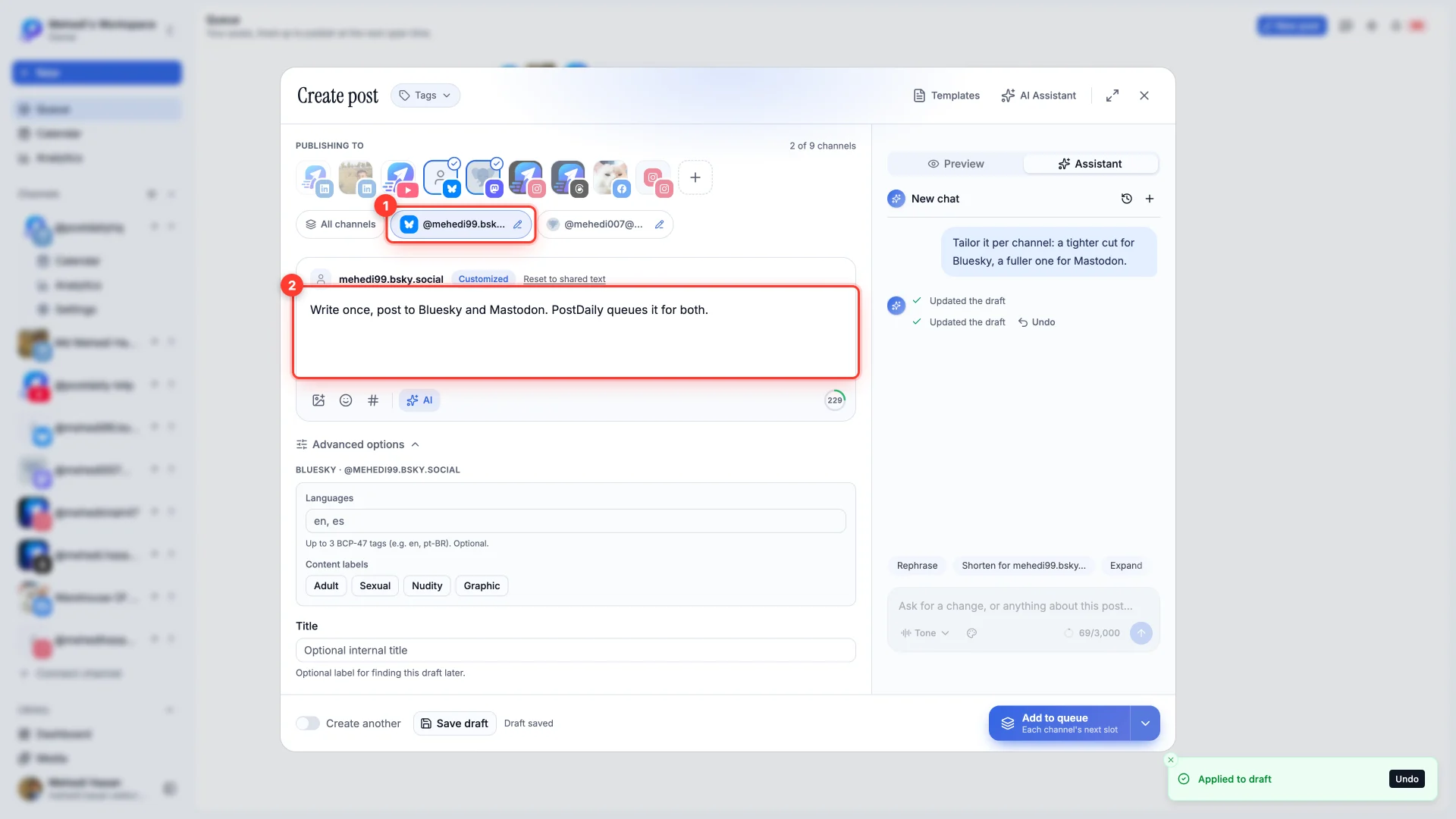
Each network has its own limits and style. The Assistant can write a separate version for every channel you picked — a tight cut for Bluesky's 300 characters, a fuller one for Mastodon — while your shared text stays as it is.
- 1Pick two or more channels
Tailoring needs more than one channel under Publishing to.
- 2Write or apply a draft
Type it yourself, or apply one of the Assistant's options.
- 3Ask for a version per channel
Type something like "Tailor it per channel: a tighter cut for Bluesky, a fuller one for Mastodon." Or tap the Tailor per channel chip.
- 4Approve each version
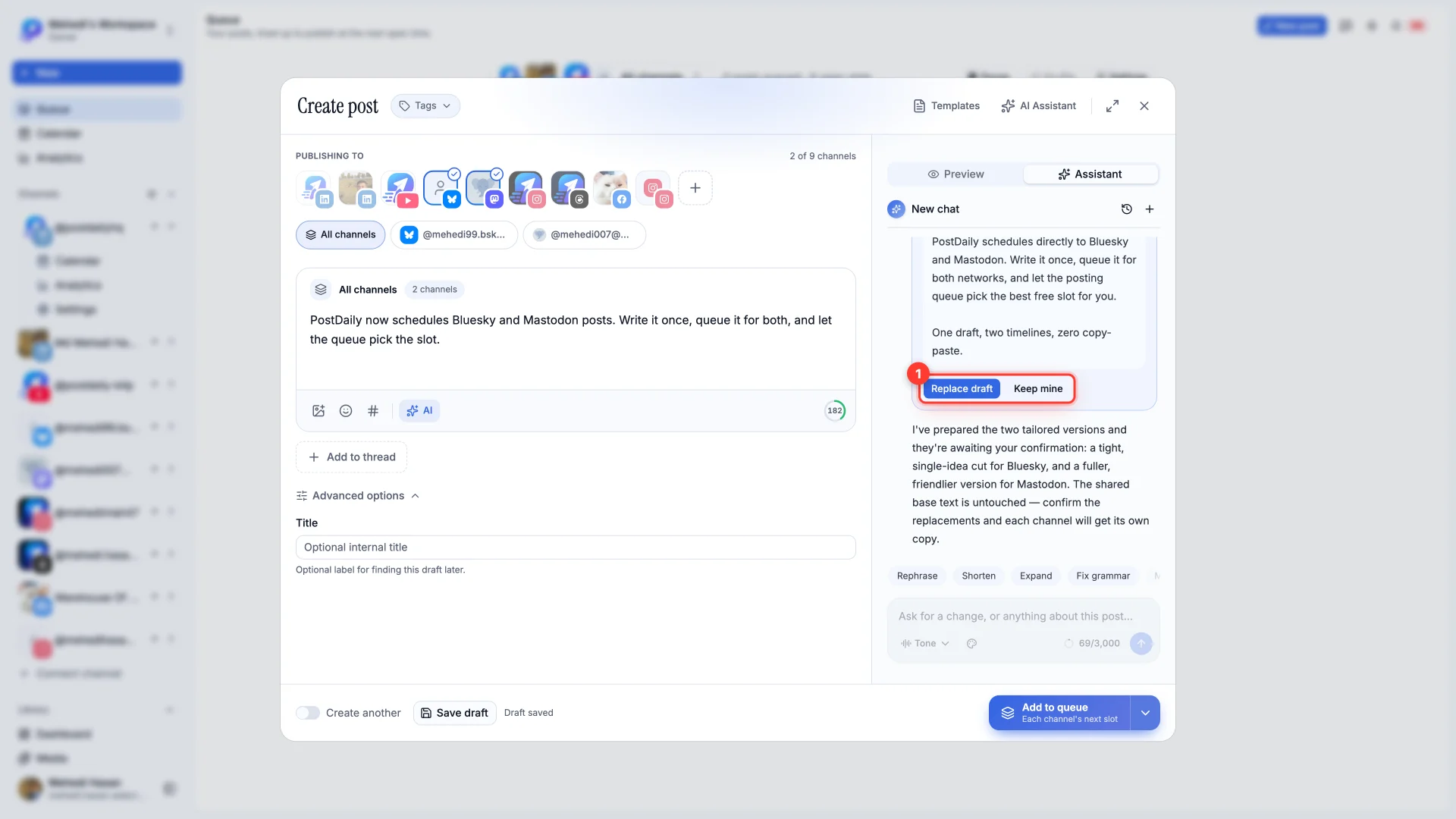
A typed request shows a Replace your draft? card for each channel. Replace draft applies it; Keep mine leaves that channel's text alone.
Check each version
A pencil on a channel's tab means it has its own text. Open the tab to read or edit it. Reset to shared text puts that channel back on the shared draft.