
Composer & AI
Let the AI Assistant pick a posting time
Ask the Assistant when to post. It checks your own engagement from the last 90 days and can set up the schedule for you.
Updated · 2 min read
The Assistant can tell you when your posts do best and set up the schedule. It uses this workspace's own engagement over the last 90 days, not generic advice.
- 1Open a post, then the Assistant tab
Pick the channels you're posting to first.
- 2Ask when to post
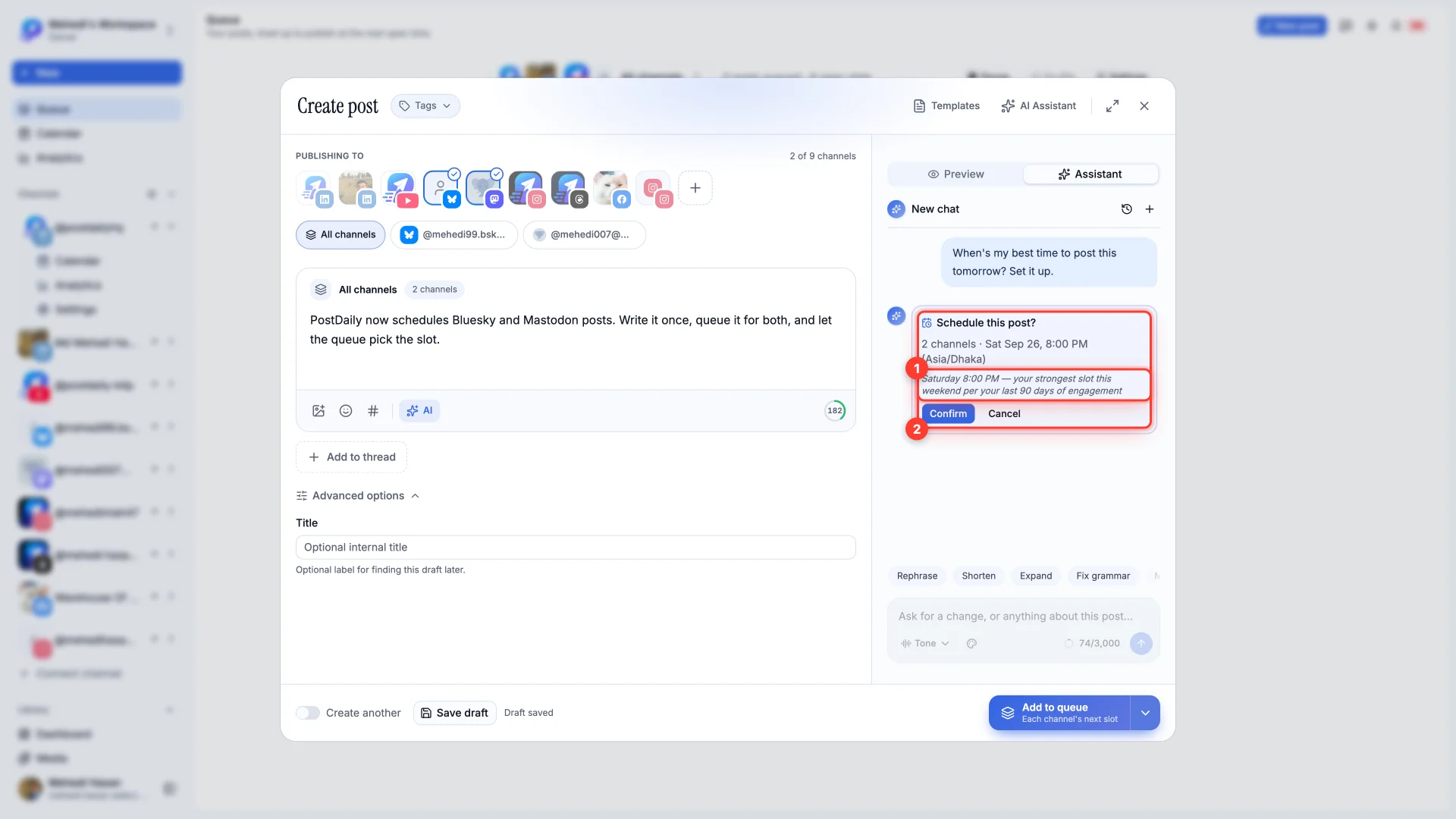
For example, "When's my best time to post this tomorrow? Set it up." On a new chat you can also pick When should I post?
- 3Check the Schedule card
It shows the channels and the time, with the reason underneath.
- 4Press Confirm to schedule it
Or Cancel to leave things as they are. Nothing is scheduled until you press Confirm.
Still stuck?
We usually reply within one business day.