
Facebook Reels & Stories in PostDaily
Schedule Facebook Reels and Stories: switch post format, use the 9:16 preview, tag a collaborating Page, and avoid the video formats Facebook rejects.
Choosing between a feed post, a Reel and a Story.
Facebook isn't only feed posts. Above the editor you choose a format — Post, Reel or Story — and PostDaily changes the preview and the available options to match.
Choosing a format
Attach your media first. The format options appear beside it, and which ones you can pick depends on what you attached.
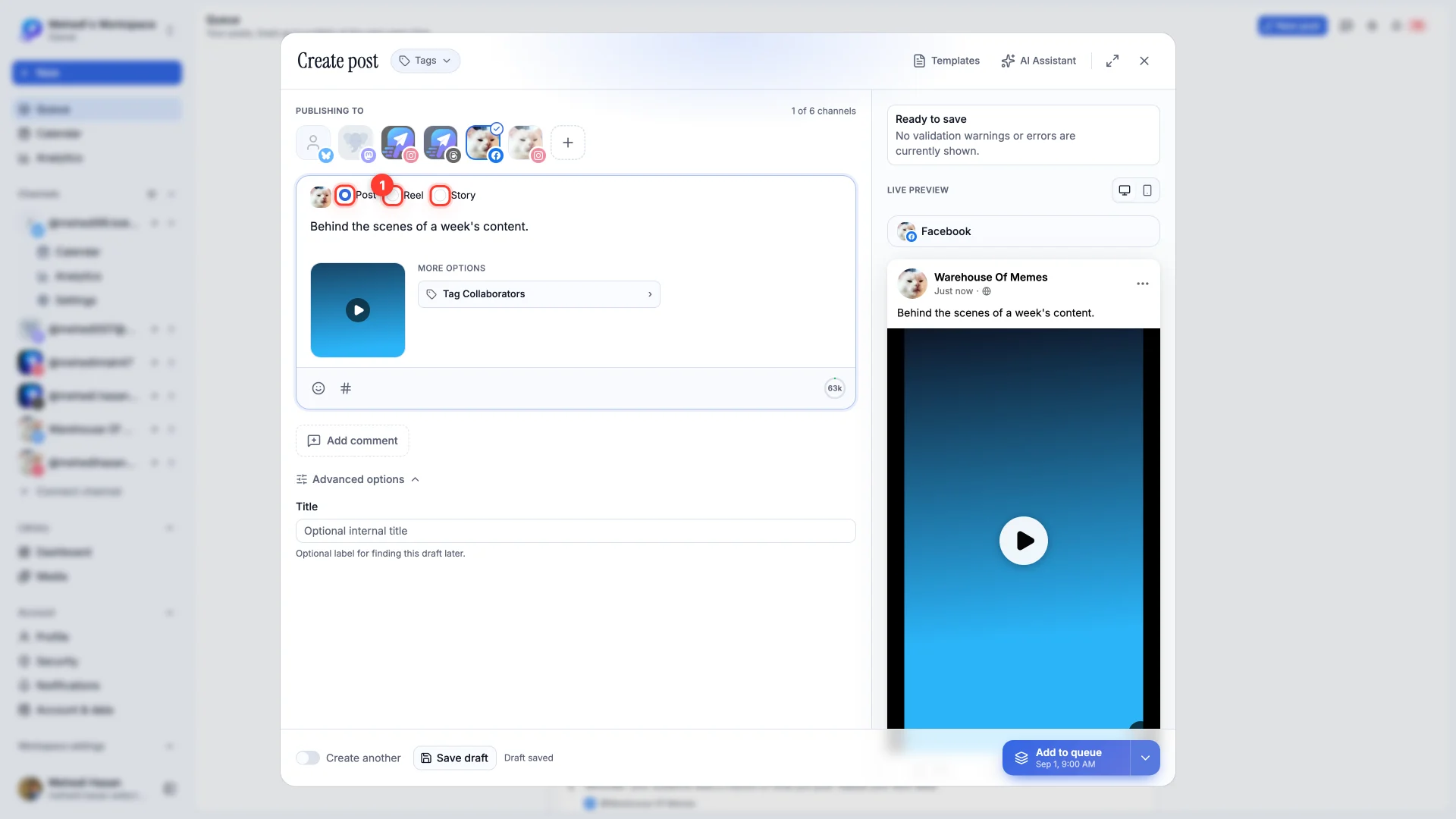
- Post — a normal feed post. Text alone, up to 10 photos, or a video.
- Reel — vertical video only. With an image attached this option is disabled, and hovering it tells you why.
- Story — a single vertical photo or video that disappears after 24 hours.
Reels
Switch to Reel and the editor changes: your video appears in a nine-by-sixteen frame so you can see exactly what gets cropped, and the live preview shows it the way Facebook will — full-bleed, with the reactions rail down the side.
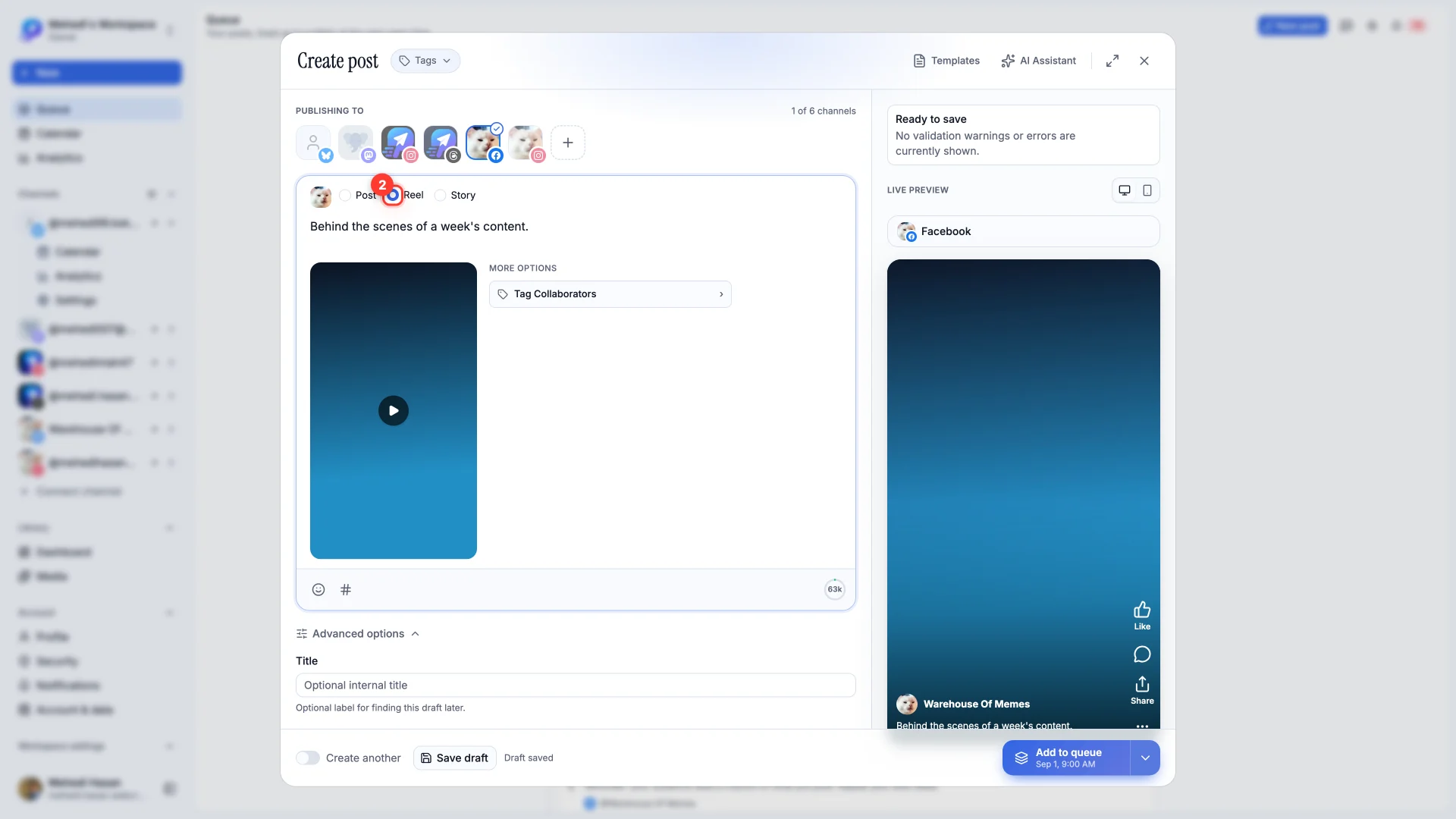
Reels have no separate title field. Facebook shows your post text as the Reel's caption, so write the first line to work on its own.
Stories
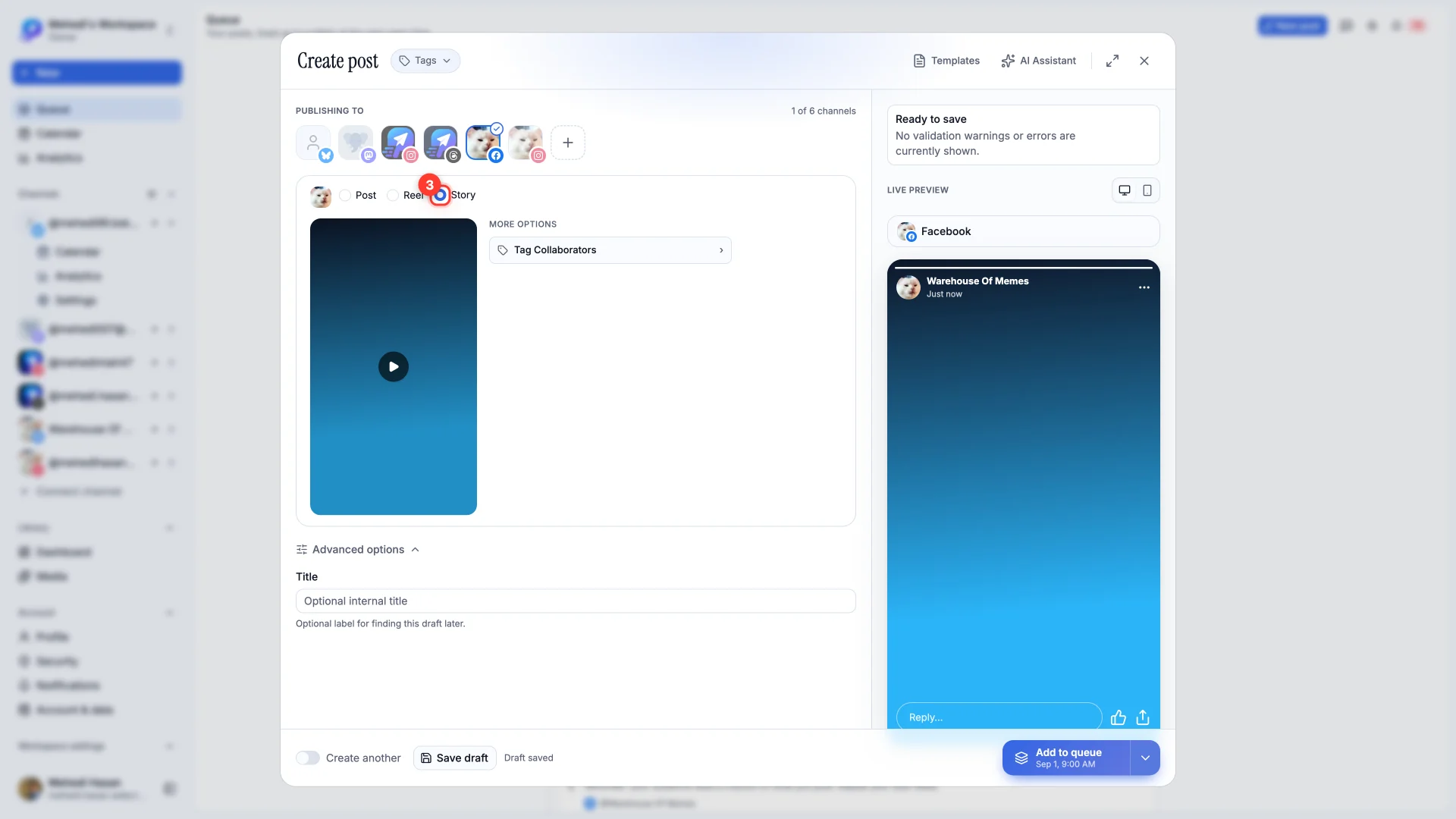
Stories work the same way: choose Story, attach a single vertical photo or video, and publish. Because they expire after 24 hours, they're a poor fit for anything evergreen.
Video that Facebook will accept
- Video — MP4 or MOV, up to 4 GB.
- Photos — JPEG, PNG, GIF or WebP, up to 10 MB each.
- Vertical media — 9:16 is what Reels and Stories are designed for. Anything else gets cropped.