
When a post fails
When a scheduled post fails: find it, read the network's own error rather than a generic one, and retry safely without posting it twice.
Finding a failed post, reading the network's own error, and retrying.
Sometimes a post doesn't go out. PostDaily shows you the actual message the network returned rather than a generic failure — which is usually enough to fix it in under a minute.
Find failed posts
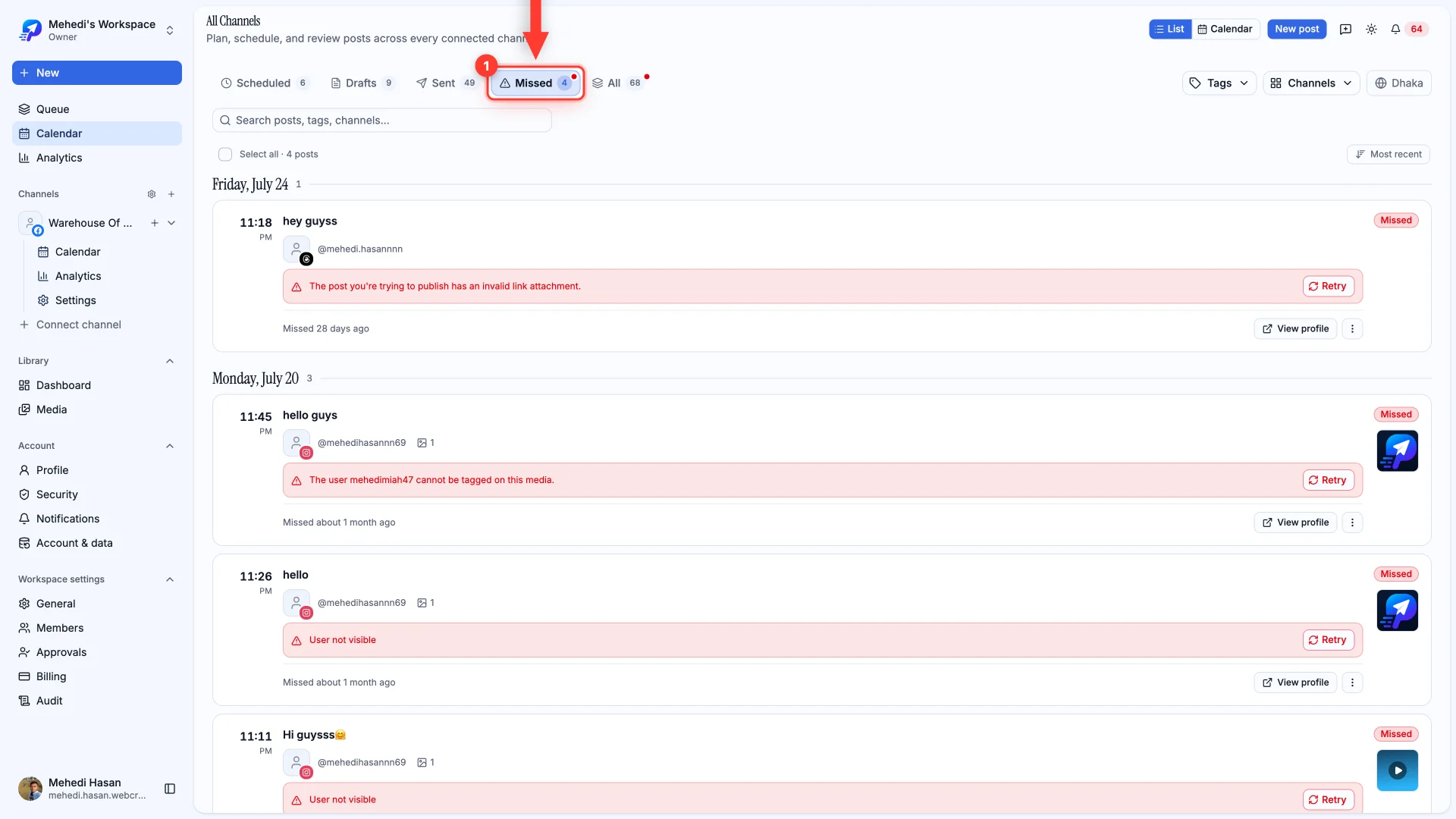
Open the Missed tab in List view. Anything that didn't publish is collected here, newest first, with a red dot on the tab when something needs attention.
Read the reason, then retry
Every failed post carries the network's own error and a Retry button. The wording comes straight from the network, so it tells you what actually went wrong.
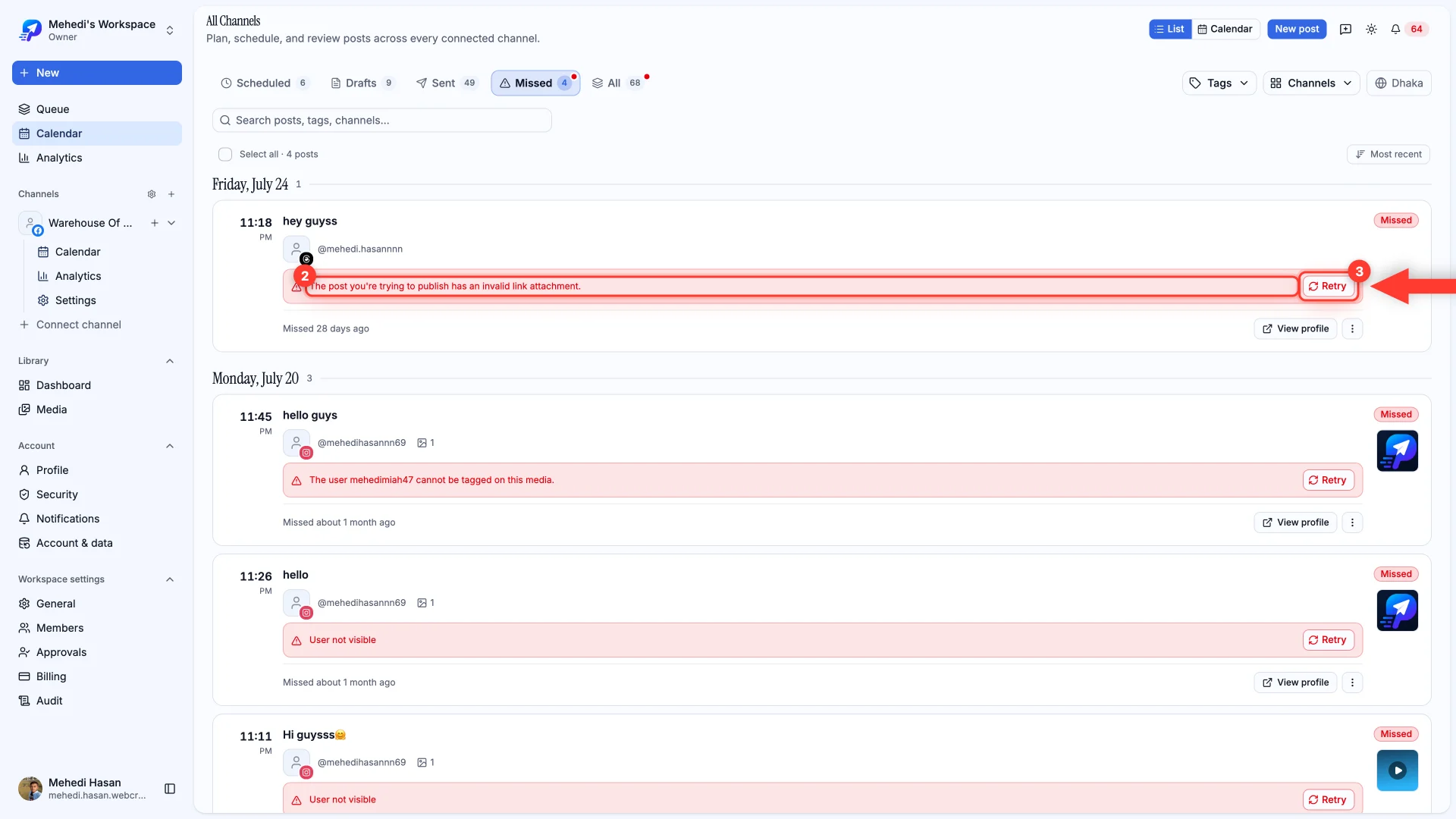
- “Invalid link attachment” — the link couldn't be fetched. Check it opens publicly, then retry.
- “User not visible” or “cannot be tagged” — a tagged account is private, or doesn't allow tagging. Remove the tag and retry.
- A rejected video format — re-export as MP4 with H.264 and retry.
- Rate limiting — nothing is wrong with your post. Retry, and it goes out.
When the channel is the problem
If a channel's connection has expired, posts fail until it's reconnected. The channel shows as needing attention in Channels, and reconnecting it fixes every post waiting behind it.