
Connecting channels
Connect a YouTube channel
Connect a YouTube channel with one Google authorization, plus the daily upload limit worth knowing before you rely on it for Shorts and videos.
Updated · 2 min read
Connecting a YouTube channel, and the daily upload limit worth knowing.
You'll need a Google account that already has a YouTube channel on it. If the account has never created one, YouTube has nothing to publish to and won't appear after authorizing.
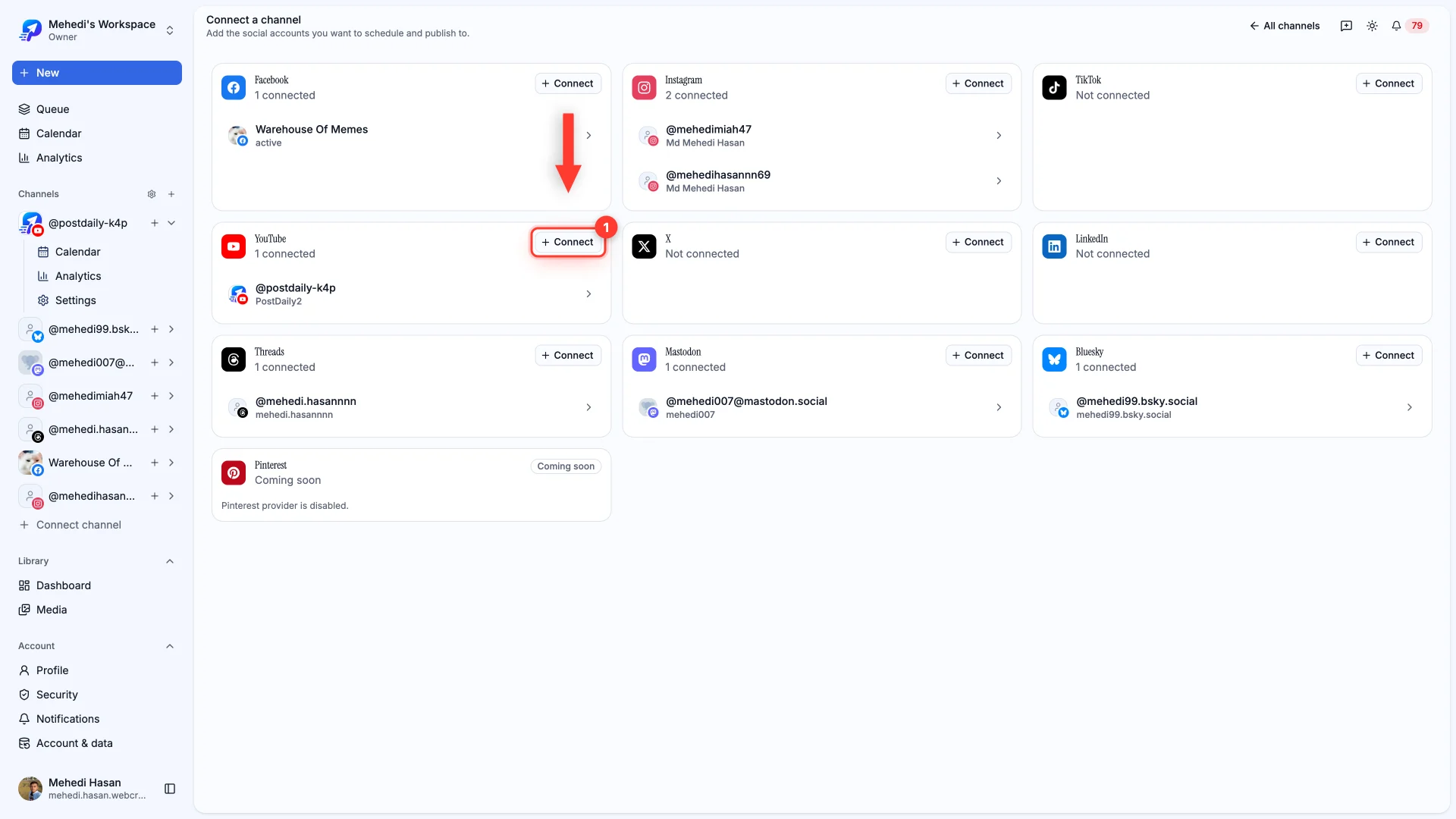
Open Connect channel and choose YouTube.
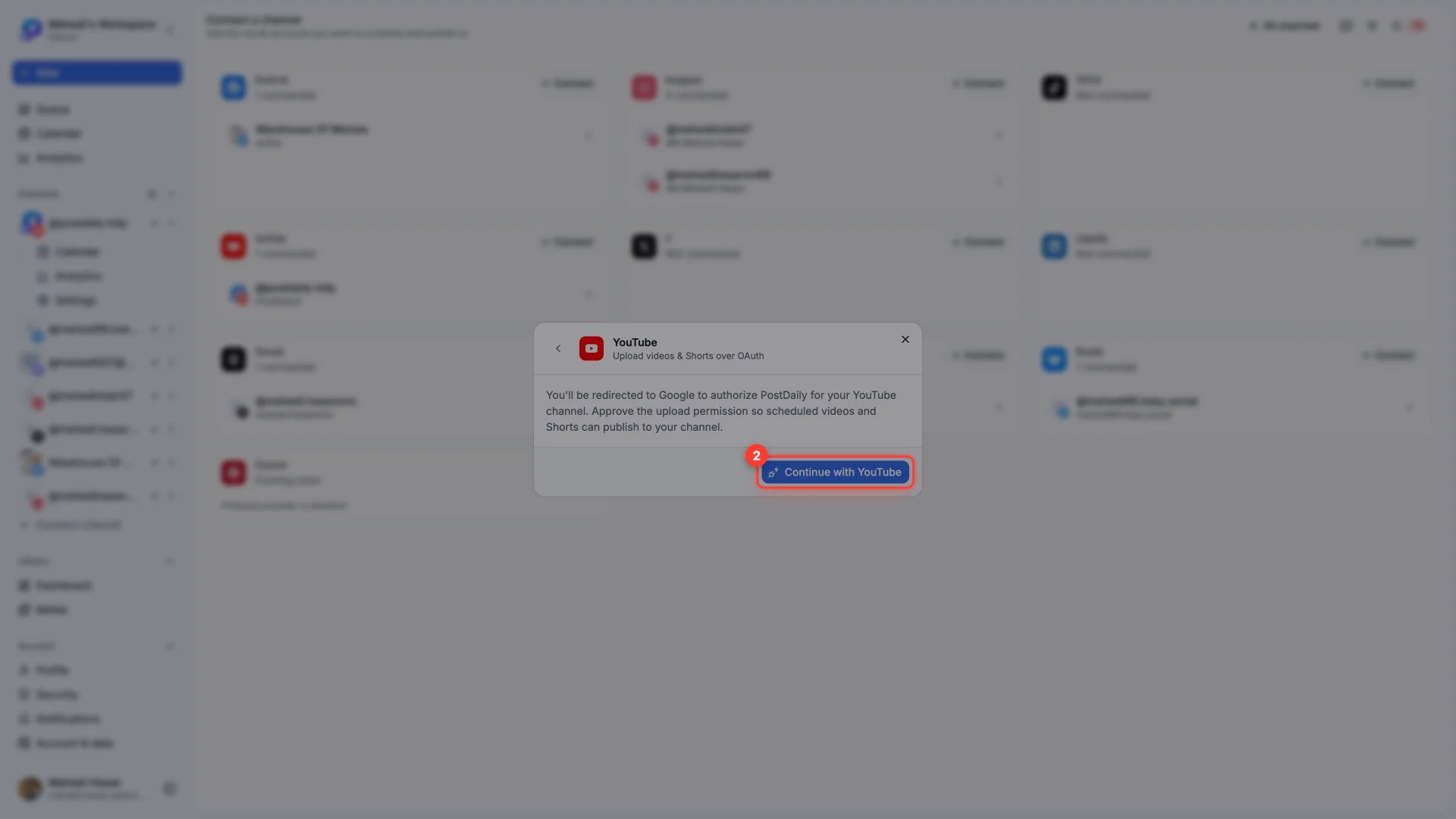
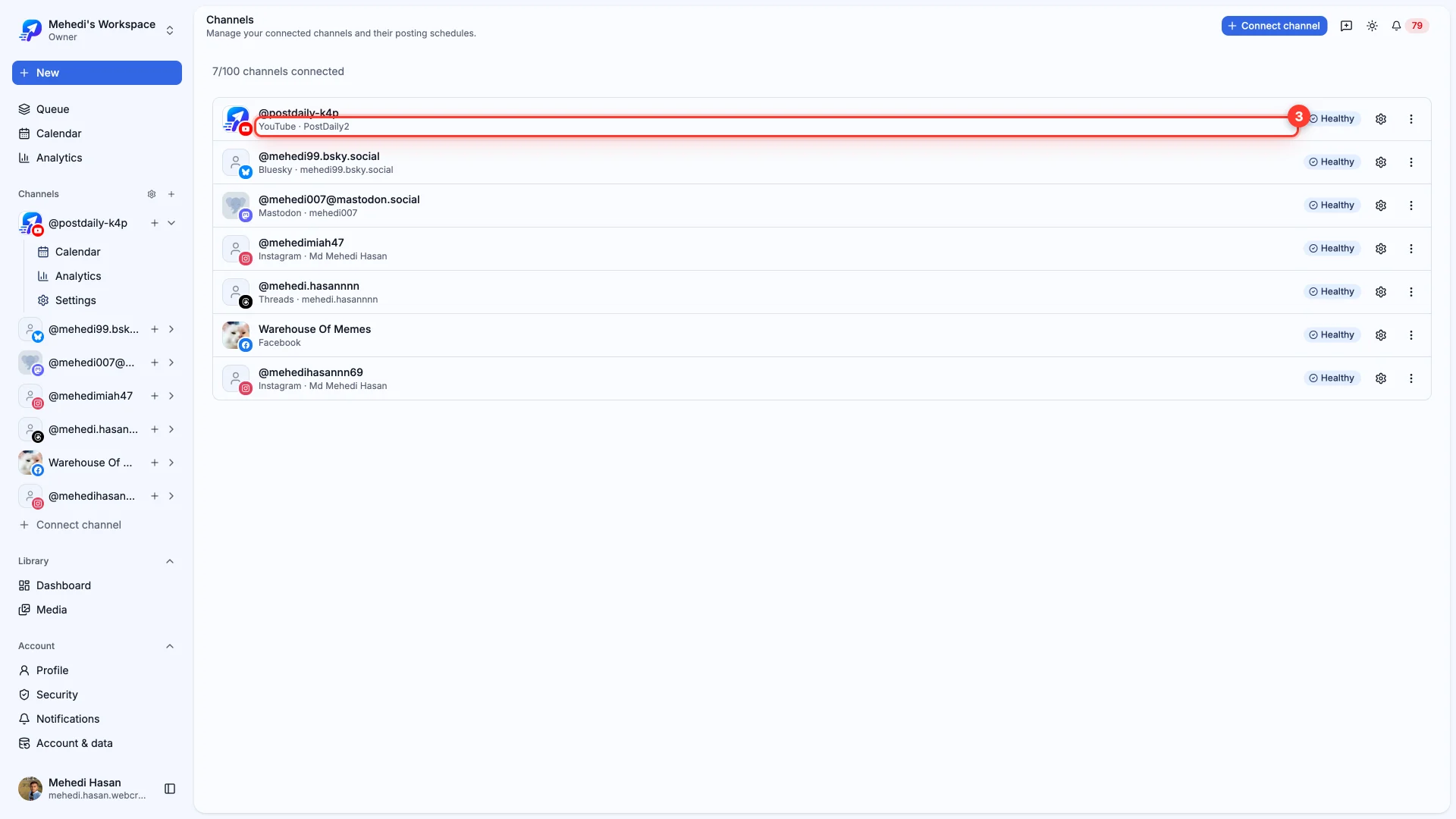
Google handles the rest. Approve the upload permission so scheduled videos and Shorts can publish, and you land back here connected.
Worth knowing
If it won't connect
- No channel appears after authorizing — the Google account has no YouTube channel yet. Create one at youtube.com, then connect again.
- You picked the wrong Google account — sign out of Google, or use the account picker on the consent screen, then retry.
- Brand accounts — pick the brand channel rather than your personal one on the consent screen if you manage several.
Still stuck?
We usually reply within one business day.