
Connecting channels
Connect Bluesky with an app password
Connect Bluesky with an app password, never your account password, then set content labels and languages and write within the 300-character limit.
Updated · 3 min read
Connecting Bluesky with an app password.
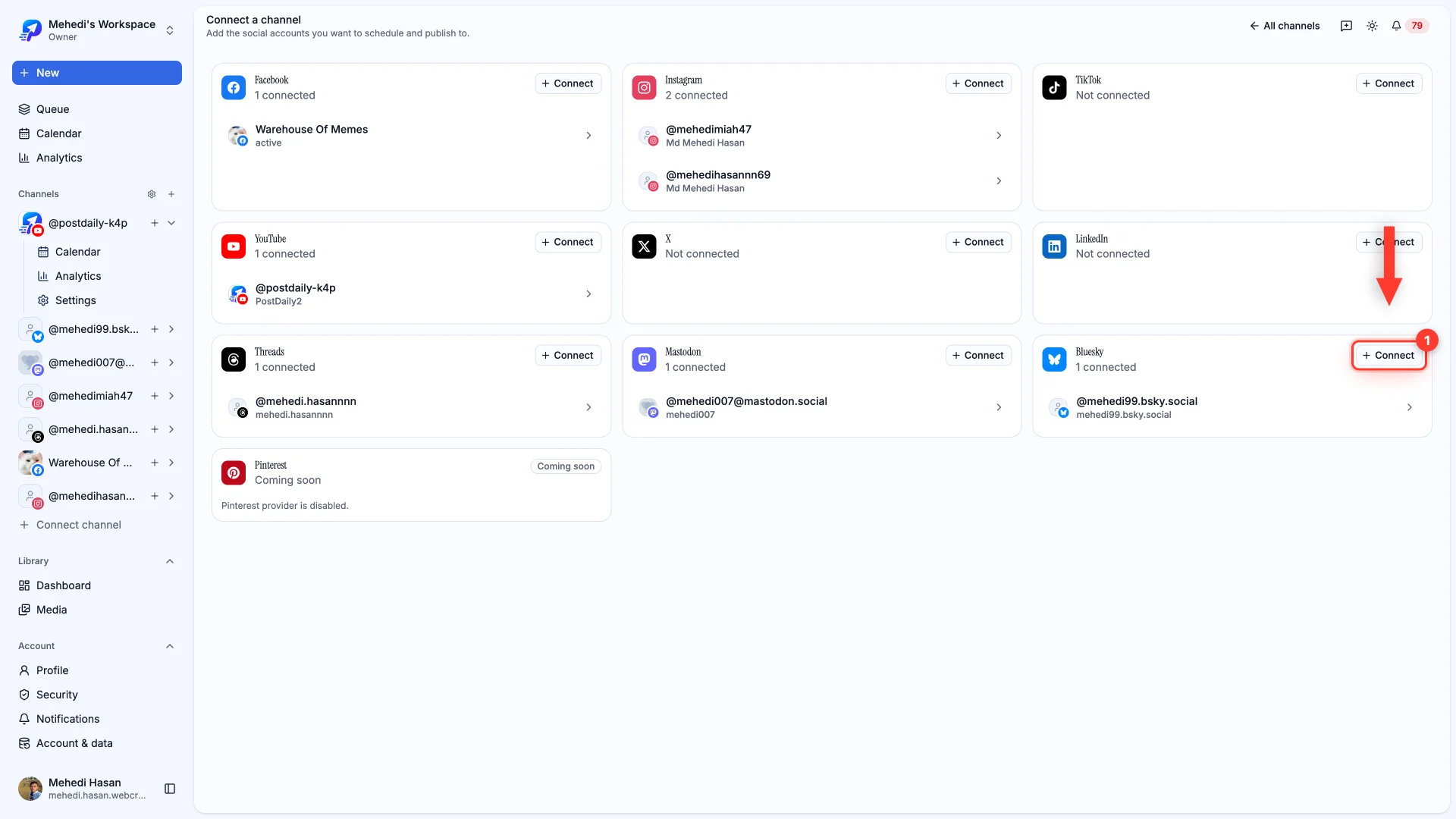
Bluesky is the one connection that doesn't use a redirect. You'll paste two things: your handle, and an app password.
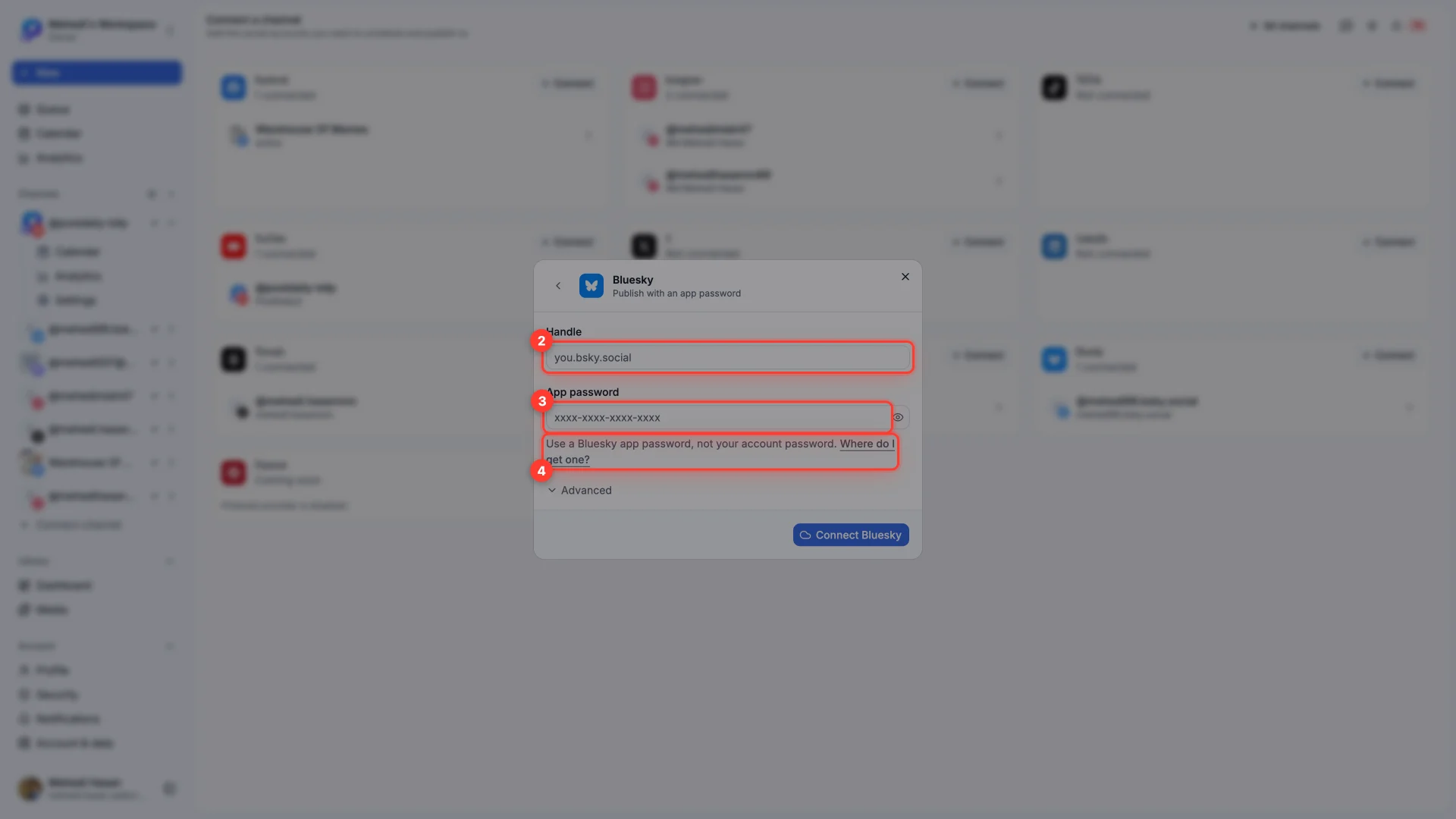
- 1Handle
The full handle, like you.bsky.social. A custom domain handle works too.
- 2App password
Four groups of four characters. Paste it as Bluesky gives it to you, hyphens included.
- 3PDS URL — leave it alone
It sits under Advanced and only matters if you self-host your Bluesky data. On a normal account, changing it will break the connection.
Writing the post
Bluesky allows 300 characters and up to 4 images. Longer thoughts go in a chain — Add to thread posts each segment as a reply to the one before it.
Labels and languages
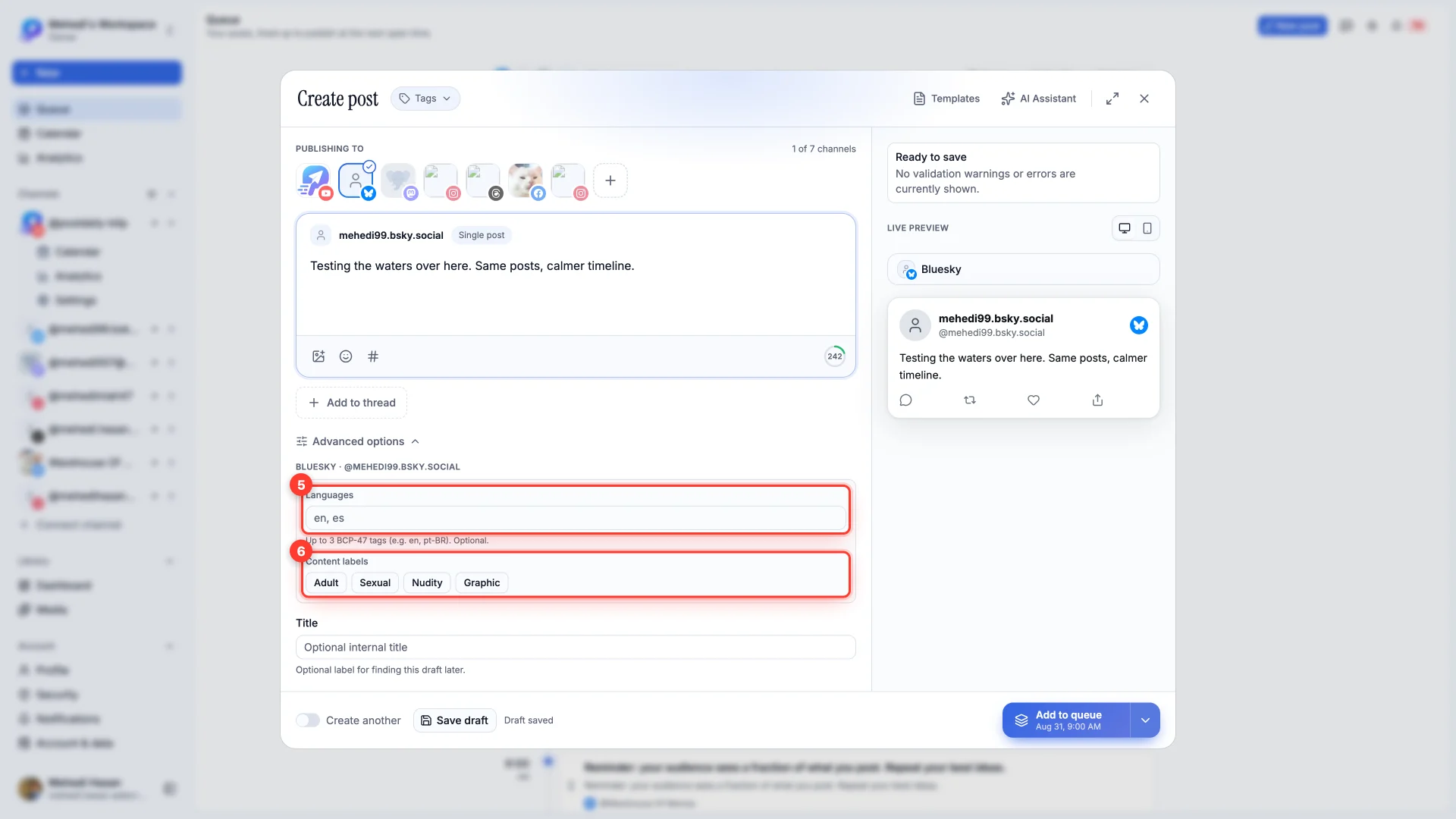
- Content labels — Adult, Sexual, Nudity or Graphic. Applying one puts the post behind a warning for people whose moderation settings ask for it. Labelling honestly is what keeps a post visible instead of getting the account actioned.
- Languages — up to three BCP-47 tags, like
enorpt-BR. It tells Bluesky's feeds who to show the post to. Optional.
Still stuck?
We usually reply within one business day.